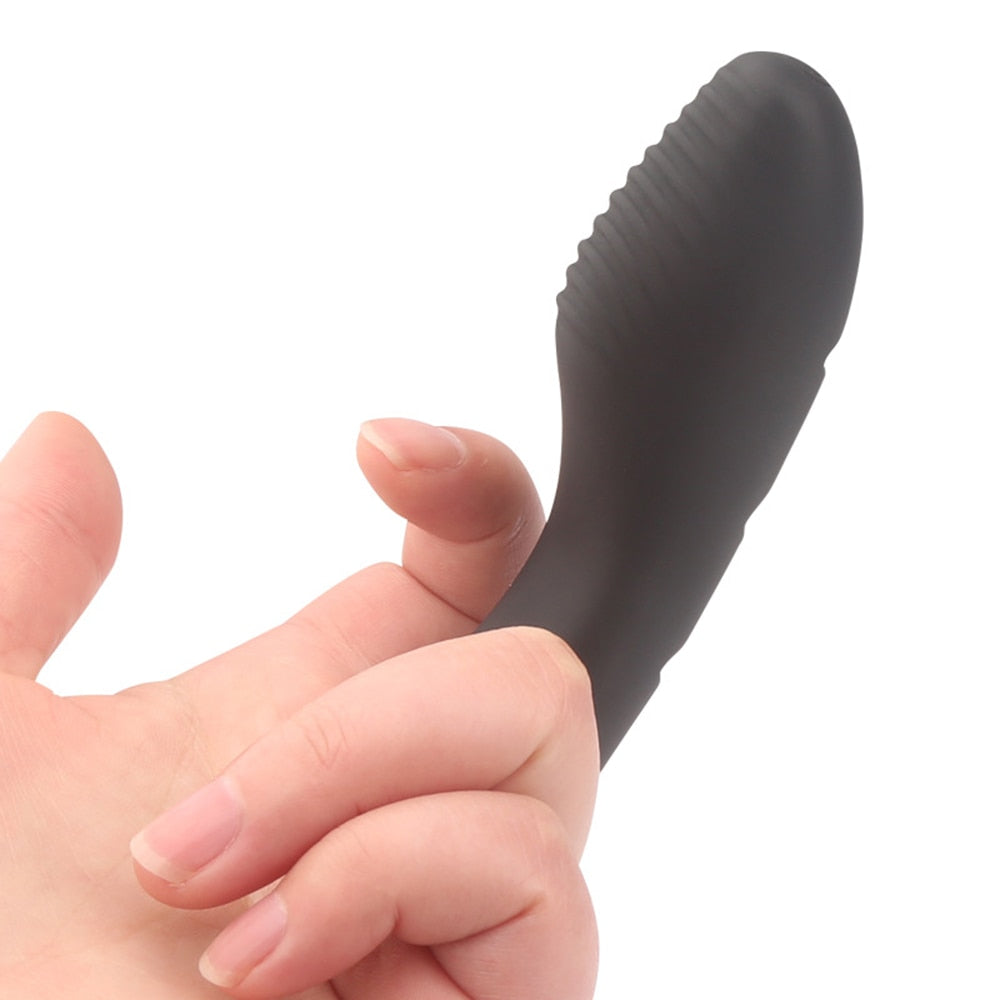


7 Mind-Blowing Vibrator Tricks You Haven't Tried Yet
Send this to someone
You don’t necessarily need a new vibrator to discover a useful feature. Sometimes the biggest improvement is understanding a control you’ve overlooked, choosing a setting deliberately or making setup less frustrating.
These seven vibrator tips focus on settings, controls, app features and care. They are not promises of a particular result or instructions for explicit sexual techniques. Everyone’s preferences differ, and the right device is the one whose features and intended use match yours.
Vibratoy sells the products linked in this guide. Feature descriptions come from product listings, not independent hands-on testing. Follow the instructions supplied with your exact model, and visit product pages for current pricing and availability.
1. Separate vibration speed from vibration pattern
“Ten modes” and “ten speeds” are not necessarily the same specification. A speed describes a level of adjustment; a pattern describes how the device changes its output over time. A product may provide one, the other or both.
Before buying, check whether its settings are described as speeds, patterns or preset modes. For a device you already own, use the manual to understand what each button changes. Don’t assume that cycling through modes always moves from the gentlest to the strongest setting.
The Powerful Short Magic Wand Vibrators lists eight speeds and 20 patterns, making it a useful example of those two features being listed separately. The Fish Clit Vibrator lists ten modes; that count alone does not establish ten independently adjustable intensity levels.
The practical takeaway: choose the kind of adjustment you actually want rather than shopping by the largest number on the page.
2. Learn the controls before relying on them
A short press, long press and repeated press can perform different functions. Familiarizing yourself with the control layout can make a device less confusing and help you switch it off confidently.
Read the manual, locate the power control and check how to return to a familiar setting. If a travel lock or memory function is important, confirm that your model actually includes it. Those features are not universal.
For example, the App Control Bullet Vibrator listing specifies a three-second hold to turn it on and a short press to change its vibration mode. Other products may behave differently, so don’t transfer one model’s button instructions to another.
A useful habit is to keep a digital copy of the manual somewhere easy to find. That is more reliable than trying to remember a button sequence months later.
3. Change one setting at a time
If you adjust several controls together, it can be difficult to remember which change matched your preferences. Where your device supports separate controls, change one variable at a time and note what each setting does.
This is especially useful when comparing a simpler vibration-only model with a device that has additional movement functions. The Rabbit 3 Point Vibrator lists three thrusting and rotating speeds alongside seven rabbit vibration modes. Those are different feature categories, not one interchangeable list.
Check whether the functions can be controlled independently before purchasing. Separate feature counts do not automatically mean separate buttons or fully independent adjustment.
More functions are useful only when you want them. A straightforward device can be the better choice if your priority is easy operation.
4. Choose the right type of remote control
A physical remote and a smartphone app offer different conveniences. A handheld controller can keep a phone out of the setup, while an app-connected device may offer additional software features.
The Remote Control Vibrator Egg includes a physical remote. The APP Control Duo action Dildo listing describes both mobile-app control and an included physical remote.
Do not assume a handheld remote works over the internet. Likewise, do not assume every app offers long-distance partner control. Confirm the specific model’s connection requirements, range and supported features.
If another person will have control, agree on access first and make sure you know how to disconnect or switch the device off. Consent and a clear stop option matter more than an elaborate control feature.
5. Match the app to the toy, not just the product category
One of the most avoidable setup frustrations is installing the wrong app. “App-controlled vibrator” describes a category, not a universal connection standard.
The Whale APP Vibrator listing identifies Magic Motion as its connection app. By contrast, the 3 in 1 Orgasm Dildo (App Controlled) identifies Love Spouse and currently lists device code 3299.
Use the QR code, device code and instructions supplied for your model. Before buying, check the app’s current availability and your phone’s compatibility. Old minimum operating-system specifications do not necessarily confirm current support.
If you use Love Spouse, our Love Spouse connection guide provides a starting point. Read it alongside your model’s manual, particularly when device codes differ.
6. Treat charging and cleaning as part of the setup
A feature-rich device is less convenient when the charging cable is missing or its cleaning instructions are unclear. Keep its correct charger and manual together, and follow the manufacturer’s instructions for both charging and storage.
Before cleaning, check which parts can get wet. A toy and its remote may have different water-resistance limits. The Remote Control Vibrator Egg listing specifically says not to immerse the remote.
Don’t assume every rechargeable model can use the same cable. Check charging contacts and manufacturer requirements, and allow components to dry as instructed before charging.
A storage bag can help keep accessories organized. The Rabbit 3 Point Vibrator lists one in its package. Whether included or purchased separately, storage should follow the product’s care instructions.
7. Build a feature shortlist before buying another device
Instead of buying another toy because it advertises more modes, identify the specific feature missing from your current one.
- Want a compact format? Compare the dimensions and controls of the Fish Clit Vibrator.
- Want separately listed speeds and patterns? Review the Powerful Short Magic Wand Vibrators.
- Want a handheld remote without relying on an app? Review the Remote Control Vibrator Egg.
- Want both app and physical remote options? Compare the APP Control Duo action Dildo.
- Want a different power format? The G-Spot double Vibrator lists two AAA batteries rather than USB charging.
Check dimensions, controls, care requirements and included accessories before deciding. If a product listing is unclear, ask for clarification rather than assuming the feature exists.
Frequently asked questions
How do I know which vibration setting to choose?
Use the manual to understand what each control changes and choose according to your own comfort and preferences. There is no universally best pattern. Stop if a setting is uncomfortable.
Can I use a different app with my vibrator?
Do not assume so. Use the app specified for your exact model unless the manufacturer confirms another is supported.
Does a higher mode count mean a better vibrator?
No. Controls, dimensions, power format and care requirements can matter more than the number of presets.
Can all remote-controlled toys work over long distances?
No universal long-distance capability can be inferred from that label. A physical remote, Bluetooth connection and internet-based partner control are different features. Verify the one you need.
Should I buy another device if something feels uncomfortable?
Do not treat a purchase as a solution for pain, numbness or another concerning symptom. Stop using the device and seek healthcare advice if symptoms persist, recur or worry you.
Make the features work for you
The most useful vibrator “trick” is knowing what your device actually does. Understand the controls, distinguish patterns from speeds, confirm app compatibility and follow the care instructions.
When you are ready to compare options, use the product links above to check current specifications and pricing. Choose the features that solve a practical preference, not the biggest promises on the box.